Known threats are blocked
Before execution
Known malicious code is stopped before it starts running.
- NextGen EDR
- Host Intrusion Prevention (HIPS)
- Host Firewall
- VirusScope Static Analysis
- Application Control

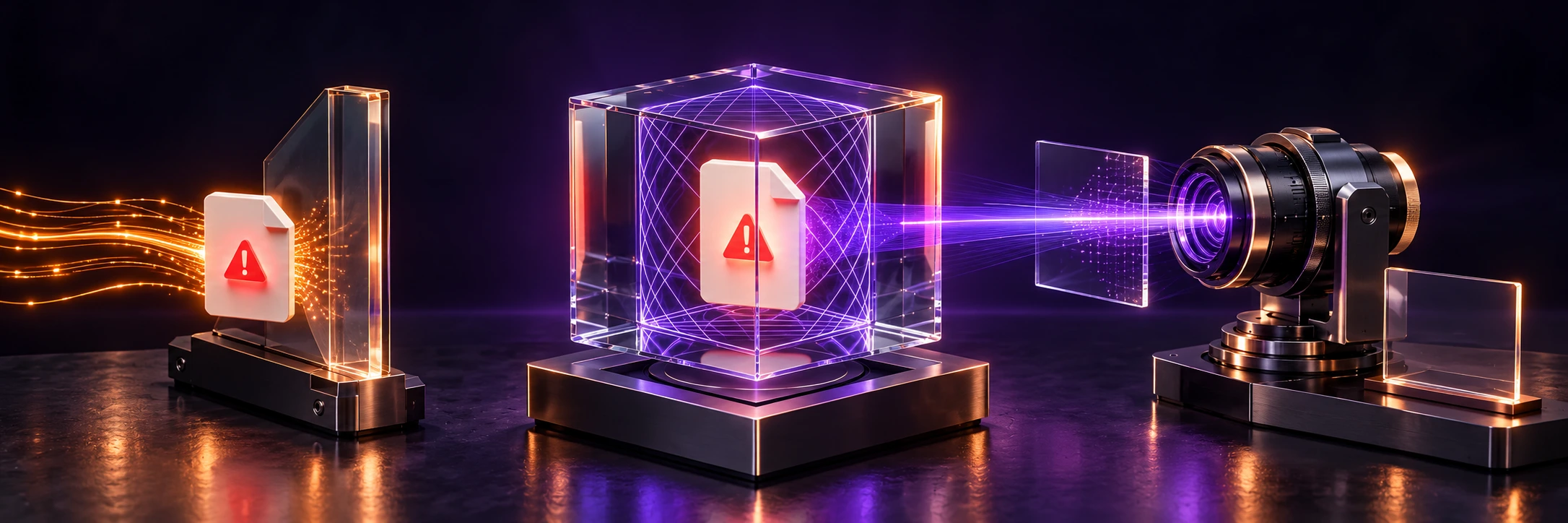
ZeroDwell runs unknown software in containment while it is checked. Choose a solution and operating model for your needs, from device protection to network and cloud risks.
How containment worksXcitium adds containment and analysis of unknown software to the blocking of known threats.
Before execution
Known malicious code is stopped before it starts running.
At execution
Unknown programs execute in a virtual environment, separate from the original system resources.
After execution
Automated analysis and work by human analysts.
What happens to unknown code before the verdict?

A new threat is not recognized immediately. Before detection, unknown code works directly with the original resources.
Execution, analysis and the verdict take place in a virtual environment. Original resources are separated from unknown code.
Analysis and the verdict — with minimal impact on the user’s work.
Use the Endpoint overview to review devices, security signals and contained files.
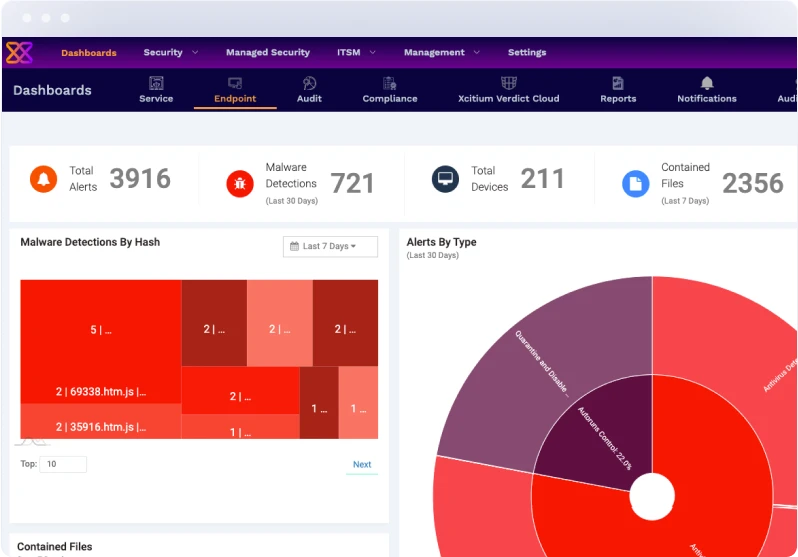
Review the device count in Total Devices.
Review Total Alerts, Malware Detections and the Alerts By Type chart.
The Contained Files counter summarizes files in containment.
Scroll horizontally to read the counters.
Explore protection for devices, networks and cloud alongside everyday operations. Each area leads to the relevant solution and its capabilities.
ZeroDwell directs unknown software into a virtual environment during analysis.
ZeroDwellEDR supports investigation through device telemetry; XDR connects signals from supported sources.
EDR / XDRSASE, ZTNA and SD-WAN capabilities support access and connectivity for distributed users and sites.
SASE / ZTNACNAPP brings application, cloud configuration and workload security posture into view.
CNAPPRMM centralizes device status, resource use and alerts; patch management helps organize updates.
RMM / ITSMShadow AI discovers AI services through DNS requests passing Secure Internet Gateway and helps apply policy.
Shadow AI

Government · 2020
25,000 endpoints
Symantec → Comodo AEP
Centralized cloud management of protection across state departments.
Comodo AEP case study

Travel technology · 2024
Thousands of airport kiosks and computers
Deployment with Microdium reduced downtime and IT administration.
Read the customer story
Social services · US · 2023 case study
130 locations · 8 IT staff
The unified platform simplified security management.
Read the customer story
Municipal government · Malaysia · 2025

Healthcare · Canada · 2023
112+ endpoints · 17,000+ patients
Xcitium AEP protects the community health centre’s endpoints.
Read the customer story
Manufacturing · Germany · 2015 · Comodo ESM 3.4
Centralized endpoint protection and containment of unknown programs.
Deployment story · PDF
Average protection result in AVLab tests
Five rounds in 2025Xcitium ZeroThreat Advanced + EDR · Windows 11 Pro
Laboratory report · PDF
Client Security · ATPAugust 2022 · Windows 11
AV-TEST certification
ZeroDwell ContainmentEndpoint Protection
CRN winner
Frost & SullivanEndpoint security
Award report · PDF
ZeroDwell ContainmentCyber Defense Magazine
Award winnerXcitium contains programs that have not yet been classified while they run, restricting their access to business files. If you plan to keep your existing protection, we’ll check agent compatibility before deployment.
We configure execution rules and exceptions for your business applications. During the pilot, we’ll test everyday accounting, banking and other critical workflows.
Trusted programs run in the normal environment; unknown programs run in containment. A pilot will show how the selected components affect performance on your devices and everyday workflows.
You can add Xcitium’s managed MDR service when needed. A single console lets you manage protection across your devices. We’ll help identify who handles initial configuration, alerts and incident response.
We’ll start with a list of devices, critical applications and protection requirements. We’ll test compatibility in a pilot, then agree with you on agent replacement and rollout stages.
We’ll show you what telemetry the selected solution collects, its rules for submitting file samples, the cloud region and retention periods. We’ll help you choose from the available settings to suit your organization’s requirements.
Yes. Backups help you recover data, while containment restricts unknown programs’ access to business files. These measures complement each other.
Pricing depends on the number of computers and servers, selected protection components and support services. An approximate device count, details of current protection and the company’s main requirements provide a starting point for a proposal.
We can help you choose a solution and discuss deployment or a move from your current protection. Choose how to contact you.